- Vim Script 95.6%
- Python 4.4%
| Filename | Latest commit message | Latest commit date |
|---|---|---|
|
|
||
| .github | ||
| autoload | ||
| doc | ||
| nerdtree_plugin | ||
| plugin | ||
| pythonx/vim_devicons | ||
| rplugin/python3/denite/filter | ||
| .gitignore | ||
| CHANGELOG.md | ||
| CODE_OF_CONDUCT.md | ||
| CONTRIBUTING.md | ||
| DEVELOPER.md | ||
| LICENSE | ||
| README.md | ||







Supports plugins such as NERDTree, vim-airline, CtrlP, powerline, denite, unite, lightline.vim, vim-startify, vimfiler, vim-workspace and flagship.
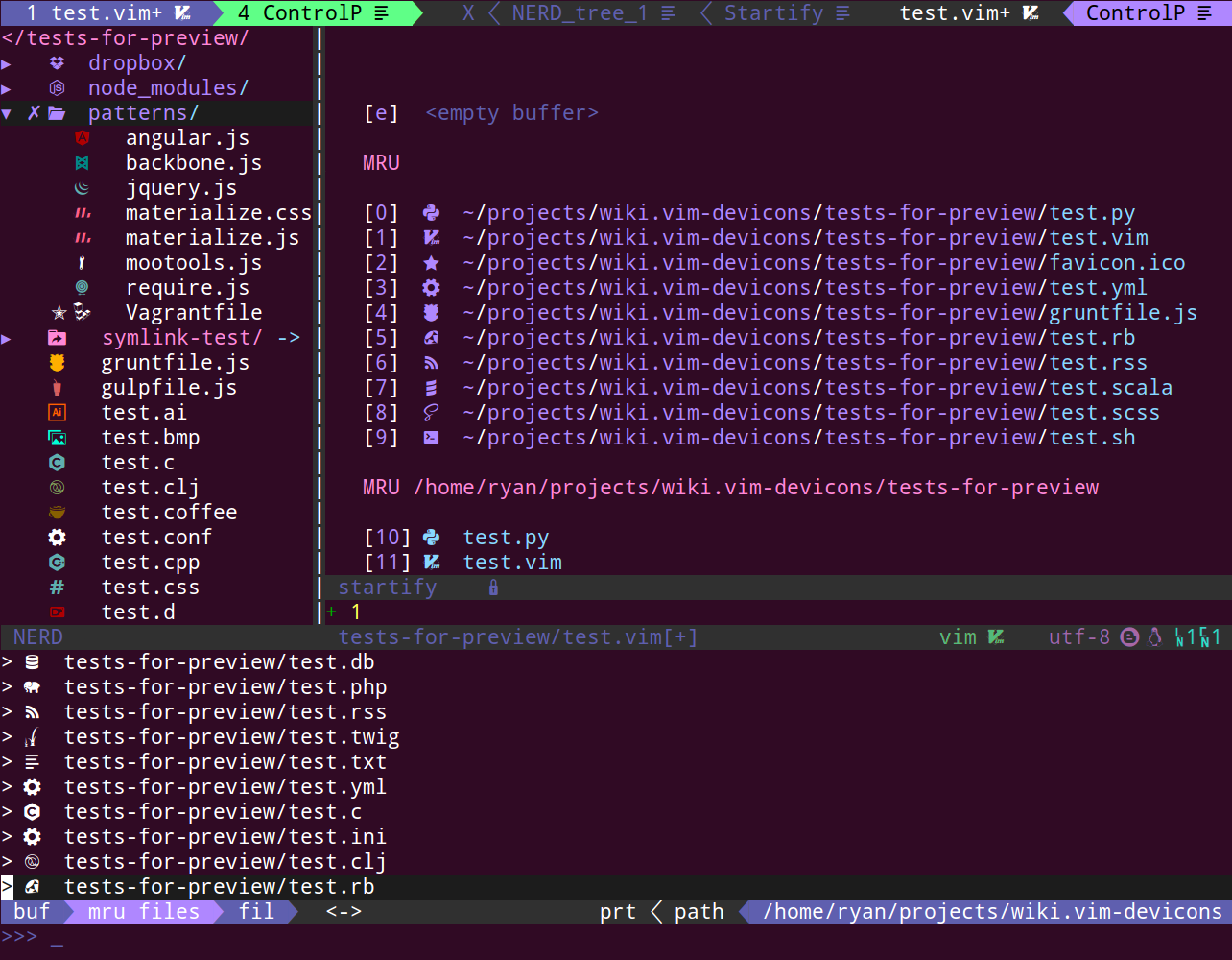
See Screenshots for more.
Features
- Adds filetype glyphs (icons) to various vim plugins.
- Supports byte order marker (BOM).
- Customizable and extendable glyphs settings.
- Supports a wide range of file type extensions.
- Supports popular full filenames, like
.gitignore,node_modules,.vimrc. - Works with patched fonts, especially Nerd Fonts.
See Detailed Features for more.
See Configuration for a list of configuration and customization options.
Installation
-
Install a Nerd Font compatible font or patch your own. Then set your terminal font (or
guifontif you are using GUI version of Vim). -
Install the Vim plugin with your favorite plugin manager, e.g. vim-plug:
Plug 'ryanoasis/vim-devicons'Always load the vim-devicons as the very last one.
-
Configure Vim
set encoding=UTF-8No need to set explicitly under Neovim: always uses UTF-8 as the default encoding.
See Installation for detailed setup instructions
Use :help devicons for further configuration.
Developers
See DEVELOPER for how to use the API.
Troubleshooting
See FAQ.
Contributing
Code of Conduct
This project has adopted a Code of Conduct that we expect project participants to adhere to. Check out code of conduct for further details.
Contributing Guide
Read our contributing guide to learn about how to send pull requests, creating issues properly.
Promotion
You can help us by simply giving a star or voting on vim.org. It will ensure continued development going forward.
- Star this repository on GitHub.
- Vote for it on vim.org.
Credits
Thanks goes to these people for inspiration and helping with sending PRs.
- vim-airline
- nerdtree
- nerdtree-git-plugin by @Xuyuanp
- seti-ui by @jesseweed
- devicons by @vorillaz
- development.svg.icons by @benatespina
- Learn Vimscript the Hard Way book by Steve Losh
- All contributors
